Process flowchart
How your 100 rows get filled in
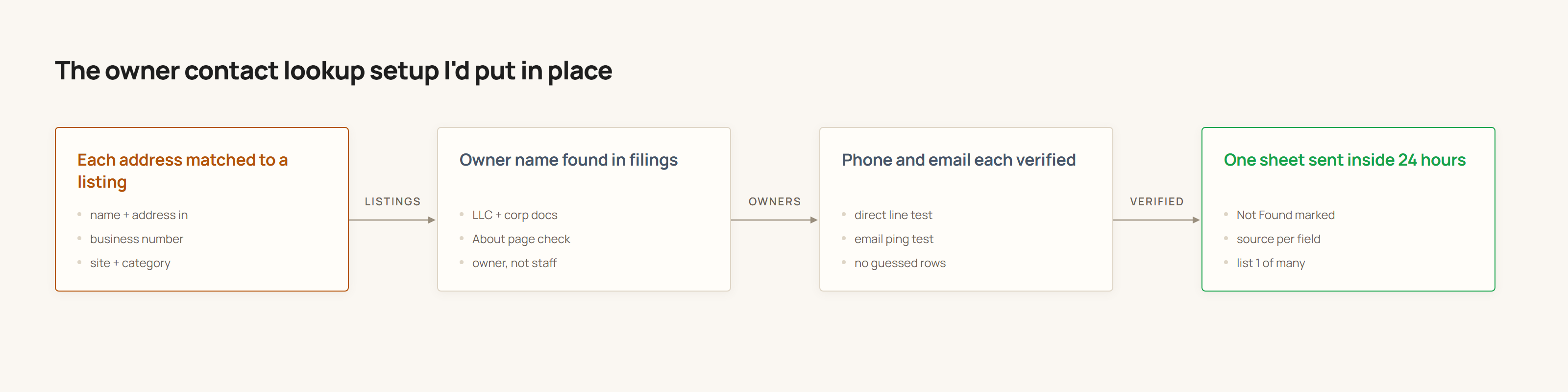
Four passes over the list you send. Each one adds a field and leaves a note about where it came from, so a row you cannot verify arrives marked Not Found rather than guessed.
What lands in each column
- Owner name
- Taken from the state LLC or corporation filing where one exists, cross-checked against the company's own About or team page. Sole proprietors and businesses trading under a DBA are the ones most likely to come back Not Found.
- Business number
- The number on the live listing and the company website, checked that both agree before it goes in the sheet.
- Direct phone number
- A line that reaches the owner rather than the front desk. This is the thinnest field for small businesses, and it is the one most likely to be marked Not Found.
- Best email address
- The owner's address where it can be confirmed, otherwise the best working inbox for the business. Every address is tested before delivery and labelled by how it was confirmed, so a guess never reaches you dressed as a verified result.
- Source note
- One short line per row saying where each field came from, so anything you want to spot-check takes seconds.